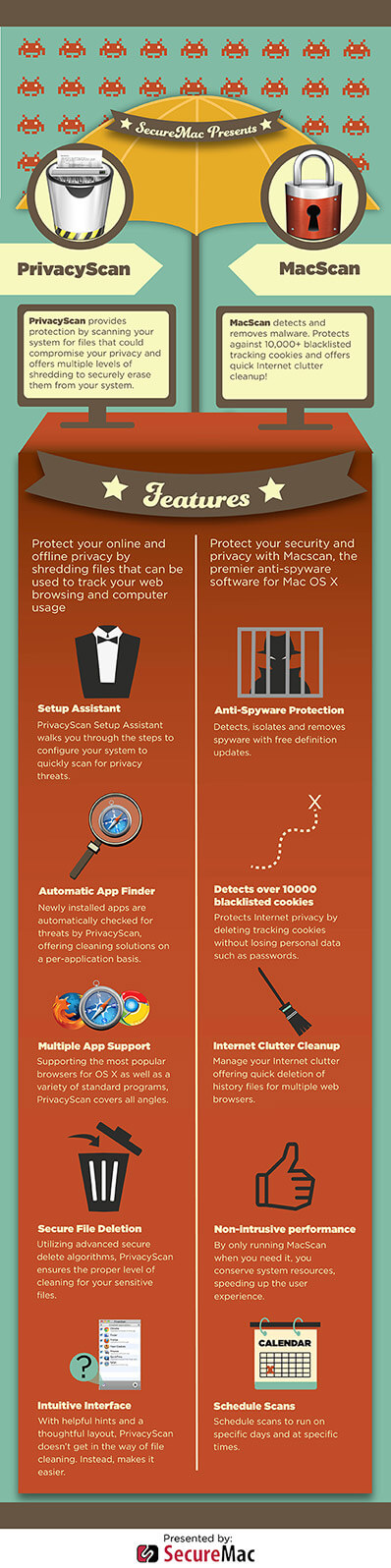
Mac OS X
Modern parents face at least one challenge that their parents probably never had to deal with: the Internet. Kids these days spend a lot of their time online—whether researching for school assignments, playing games, or chatting with friends on social media—and all of this time spent in the digital world makes it more difficult for parents to know what their kids are doing at all times.
It used to be that parents could always be aware of where their kids were, what kind of activities they were participating …
November 25, 2015 •
5 min read
Mac OS X
Let’s just call a spade a spade: passwords are among the most irritating things about living in the digital age. Trying to remember even one or two passwords—let alone a different password for every device, site, and service that you use, as is usually recommended—can be a real test for the more forgetful among us. But passwords are also essential. Often, they are the one safeguard protecting your computer, your social media accounts, your email inbox, or your online banking page—to name a few—from everyone else on the web.
November 20, 2015 •
6 min read
Mac OS X
Creating a disk image is a method often used for system backup, and can essentially clone your hard drive by copying the contents and structure of the disk and saving them exactly as they are on your computer. Using Mac’s Disk Utility, you can create a password-protected and fully encrypted disk image for secure system backup and disk cloning. Use the steps below to create a protected disk image for your Mac’s hard drive.
Open the Disk Utility
To get started with creating a protected disk image, you will need …
November 13, 2015 •
4 min read
Mac OS X
Macs are sleek and slick computers that can run well for years after you take them out of the box. Like all other computers, though, your Mac is not immune to slowdowns, bugs, and other problems, and it’s up to you to keep your machine happy, healthy, and safe. Use the eight tips listed below to keep your Mac running like a well-oiled machine for years after first use.
(Once you’re done checking out this page, be sure to see our 2021 macOS Big Sur setup guide for even more …
November 6, 2015 •
7 min read
Mac OS X
Anyone who’s used a Mac for any length of time knows that comfy, secure feeling you get when logging into OS X. It’s great. And best of all, it’s malware-free. Right?
Well, not exactly…
March 5, 2015 •
1 min read
Mac Tips
It’s often easy to overlook the importance of online security, but when you consider the cost of cybercrime is estimated between $24 billion and $120 billion each year in the US alone, it really puts things into perspective.
The National Cybersecurity Awareness Month (NCSAM) is an event backed by the Department of Homeland Security and is recognized every October. The cyber threats out there are very real, which is why NCSAM is now in its 10th consecutive year.
In the spirit of this initiative, here are 5 easy-to-implement tips to ensure your …
October 24, 2014 •
4 min read
 Mac Tips
As the leading contenders in the web browser industry (such as Google’s Chrome, Apple’s Safari and Mozilla’s Firefox) began battling for the hearts and minds of the public, it was only a matter of time before they took advantage of the growing concern regarding online privacy. “Private browsing” was the solution that was offered to put our minds at ease.
This feature is known by different names depending on the browser you use, but whether it’s Incognito Mode, InPrivate Browsing, or Private Browsing Mode, we’re led to believe that we can …
September 24, 2014 •
5 min read
Infographic
For immediate release October 18, 2013
Summary: SecureMac continues its work to raise awareness of online privacy issues with the release of an internet cookie infographic. The aim is educate and dispel common misunderstandings about the nature of cookies and what they mean for consumer privacy.
SecureMac, creator of the critically acclaimed consumer privacy software, PrivacyScan, continues its initiative to raise awareness of online privacy issues with the release of an infographic to help people understand internet cookies.
The PrivacyScan cookie infographic aims to educate Internet surfers, allowing them to make more informed …
October 18, 2013 •
2 min read
Infographic
We’ve all heard the term ‘cookie’ used in the context of web browsers, and while we enjoy the warm, delicious connotation they bring to mind, do we really know what one is? How are cookies used by websites to provide customization and personalization? How are cookies used by third-party advertisers to track you across the internet?
July 24, 2013 •
5 min read
Infographic
We created an infographic to help show an assortment of statistics highlighting the changes in both mobile OS popularity and the malware that associated with each over the past three years. In addition, many different events occurred in 2012 that show the different ways in which Cyber Espionage has evolved through mobile. Kaspersky Labs provided some of the statistics and key information that make up this infographic. Their original article is a fantastic, but technical read that I suggest you check out here:
May 20, 2013 •
1 min read
Mac Tips
5 Easy Tips to Keep Your Mac Secure in 2013 has been published and is now available for immediate implementation to help keep you secure this New Year! Which methods are you already using and how do you rank?
January 8, 2013 •
3 min read